ARTnews Redesign

The major difference between User Interface Design I and II was that our choice of site to redesign was much more limited. While before we could choose whatever site we wanted, we had to pick a type of site that was very content heavy, specifically a news site, as directed by our instructor. Since I rarely pay attention to the news, I was a bit reluctant to get started, but soon realized that it’s essential that I need to be open to all types of sites and configurations, since there are sites for almost anything, and I could be working for any one of them someday as a user experience designer. It was a necessary pull out of my comfort zone, and it gave me a huge confidence boost when the ideas started flowing in.

In my search for a news site that I would be interested in working with, I came across ARTnews, which is dedicated to updating the art connoisseurs of the world on what’s happening in the art world. Unfortunately for them (and fortunately for me), there were quite a number of issues I ran into while exploring the site that could be innovated on. The search bar gives you two categories to search from, but neither of them are clickable, and the navigation of the site is incredibly confusing, some heading tabs leading you to other sites entirely. While I was not able to address the search issue, since I hadn’t learned coding at the time, I was able to greatly simplify the site navigation by prioritizing the main interests of the company (gaining more subscriptions, since they advertised it heavily throughout their own pages), while putting the other specifications in the menu. The rest of the page displays the leading articles, editor picks, most recent uploads and top stories, taking up the majority of the screen space with large and attention-grabbing pictures.

This was also the first project in which I had to consider responsive design, and I ended up creating three different page layouts for the website: mobile first, then tablet, and lastly desktop. While it’s structured in such a way to give more breathing room, rather than needing to remove items that wouldn’t fit in smaller designs, filling in the open space was also relatively difficult. However, I felt it was important to do so, since the site had a lot of white space at the time, but it felt somewhat contradictory to the nature of museum art as a whole. Some of the images were nice and big, like a large painting on display, while others were more subtle and less visible. I aimed to treat each image like it was a painting, with large blown up pictures in a gallery view with “museum placards” beneath to display the article title. I also amped up the immersion further within the mobile designs, as the images contained in the articles, once just thrown between large text walls in white space, became one with the article itself. Each image was placed in the background behind the text, as though you are looking into the framework of the painting itself. If you wanted to get a closer look at the painting itself, you could click on the title of the painting, or the “view image” link if it was not listed, and it would bring you into an isolated space with a dark background and an overhead light, as if you were actually in an art gallery to divert your full attention to it. The desktop space, however, was too wide to display the whole images in the background, so I placed it along the sides of the paragraphs for people to view while reading, rather than after reading the section. This prevents readers from having to go back if they forgot some details about the piece that were already written.

Dine with dragons

As one of my most in depth and successful projects at Drexel so far, Dine With Dragons was an app that I designed as a Drexel centric payment app that would allow students to pay for meals together without having to divvy up costs after the fact. It is not a fully functional app, but it has been outlined and prototyped with Figma, displaying comprehensive details on the inner workings and an interaction demonstration fully animated in Adobe After Effects. This was my final project for my Interaction Design class, and perhaps I can fully realize it in the years to come at Drexel.

My initial inspiration / example service to work from was Venmo, and I had to pick it apart to isolate a singular task flow that a person would go through when using it. The only problem was that I hadn’t ever used Venmo before starting this project, only knowing that it was specifically used for paying other people, and I ended up missing some steps in the task flow. As a result, my own app design had to be built more off of my own ingenuity, imagining how it would have to function as a legitimate product, and there ended up being more steps than necessary. However, for the main stand-out function of the app, allowing multiple people to join in on a single transaction, it panned out very smoothly in the end

Dine With Dragons initial task flow
Dine With Dragons IX flow

Where my creative ability really took flight was in the animation process. Seeing my ideas all come together in a realistic in-app experience gave me so much more confidence in the structure I had built. Everything happens so quickly and smoothly that it could very well work as a real application, and that gives me the motivation to pursue this further in the future. Not all of my animation ideas could be realized, such as a more realist coin drop animation, but it still looks polished and functional. For my first time using After Effects too, I’m incredibly proud of the end result, and have been working more with the program to fine tune my skills.

Dine With Dragons interaction guide

For a closer look, download the final presentation here.

User Interface Design I – Redesigning Chorus

View full prototype

Final wireframe for Chorus

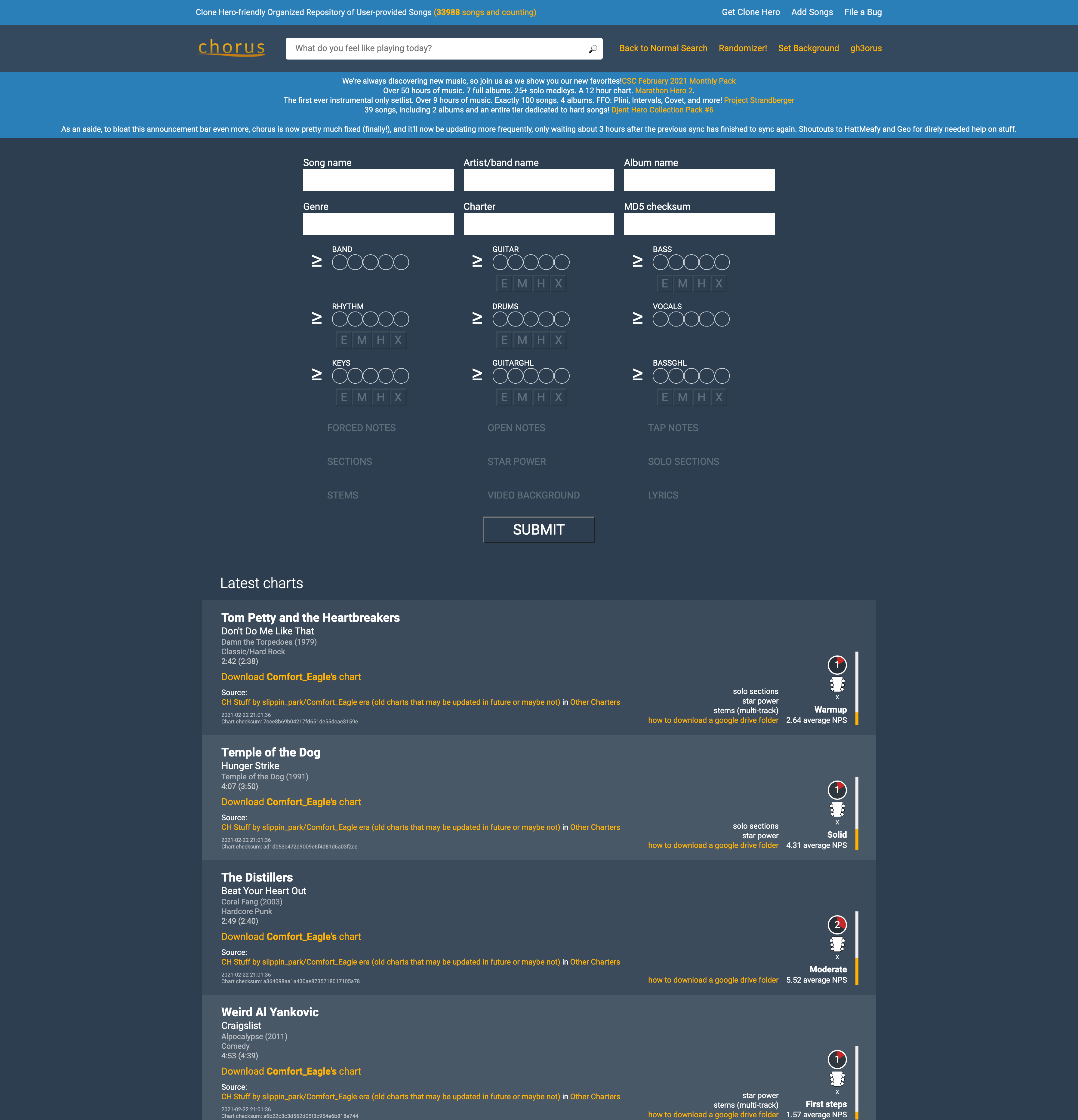
A site unfamiliar to most, yet important to me, is the site that I used to download much of the necessary content to play the game Clone Hero, which is essentially a computer version of Guitar Hero that gives you access to all existing songs from the Guitar Hero games and various community made songs. The site as it stood worked decently to find some individual songs, but I felt that the layout could be improved to allow for easier filtration and analysis of the songs before somebody goes to download a song. You can really only find songs that you know specific details about, like the song name and the artist, or details about the chart of the song, such as the difficulty and the playable instruments.

To give users a better way of looking for new songs to download, I redesigned the filtration system to be more concise and easier to understand by lining it up with details listed on the song. Once this design is coded and implemented, users will not only be able to search for songs based on chart and song details but through how many likes and downloads are on a specific chart. If the user comes across a song they may wish to download, instead of downloading it into the game to check, they could click on the album cover to the left hand side to play a preview of the song. As it stands, many Clone Hero players will download large packs instead of individual songs so they could listen to the previews in game. Those would also be available on the home page in the new setlist carousel, as they are popular among players, but for those that are not looking to use up large amounts of space on their computer for songs they will not end up playing, this system of song searching will be much more effective for handpicking the songs that players want, rather than just guessing at which packs to download.

Song download page, before and after

The design process was interesting to follow through for the first time, as my site choice was rather obscure and the user base was very specific. Quite literally, only people that have Clone Hero will have anything to get out of this site, and since I play the game avidly, I had a decent understanding of the user base. Just to be sure though, I was instructed to develop a user persona and do a card sort test to see how users organized the content on their site. Most people organized the content by official Guitar Hero content and community content, but a decent portion split up the large setlist and the individual charts, so I added different tabs for the both of them. The prototype does not include all the pages of what the finished site would have, only the home and chart page, but within this version, the carousel can move back and forth and the dropdown filter on the chart page is functional.

Card sort results: Separation of setlist and individual songs

To view the full case study, you may download it here.